EchoFlights

How It Works

Get your verified, embassy-ready flight itinerary in minutes. The entire process is quick and simple.

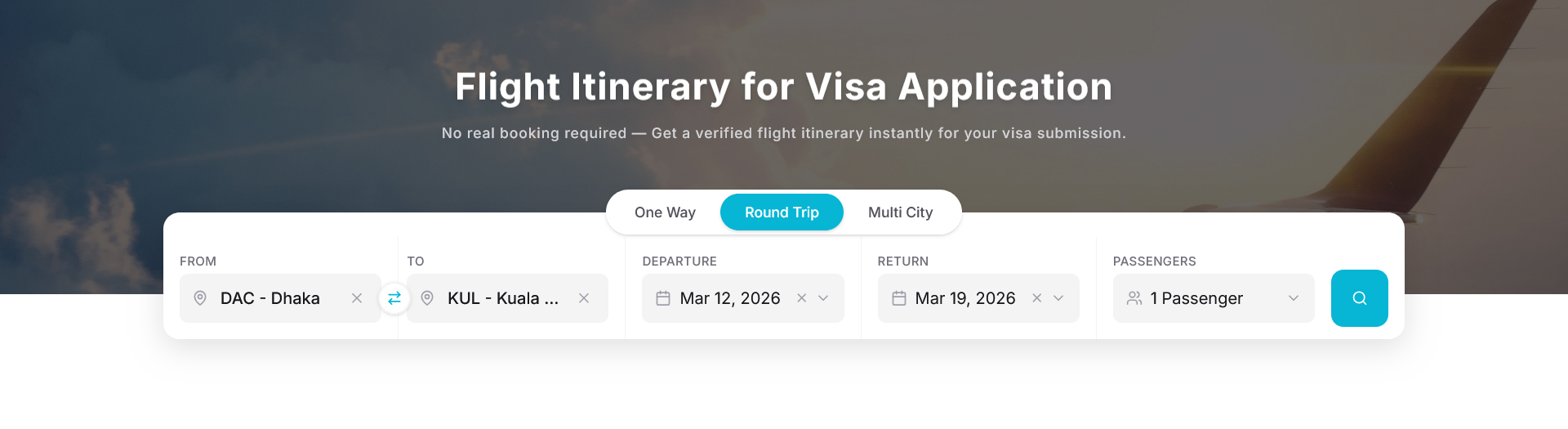
1 Search Your Route

Enter your departure and destination airports, select your travel dates, and choose the number of passengers. Our system searches real airline schedules to find available flights for your route.

Screenshot of EchoFlights route search form

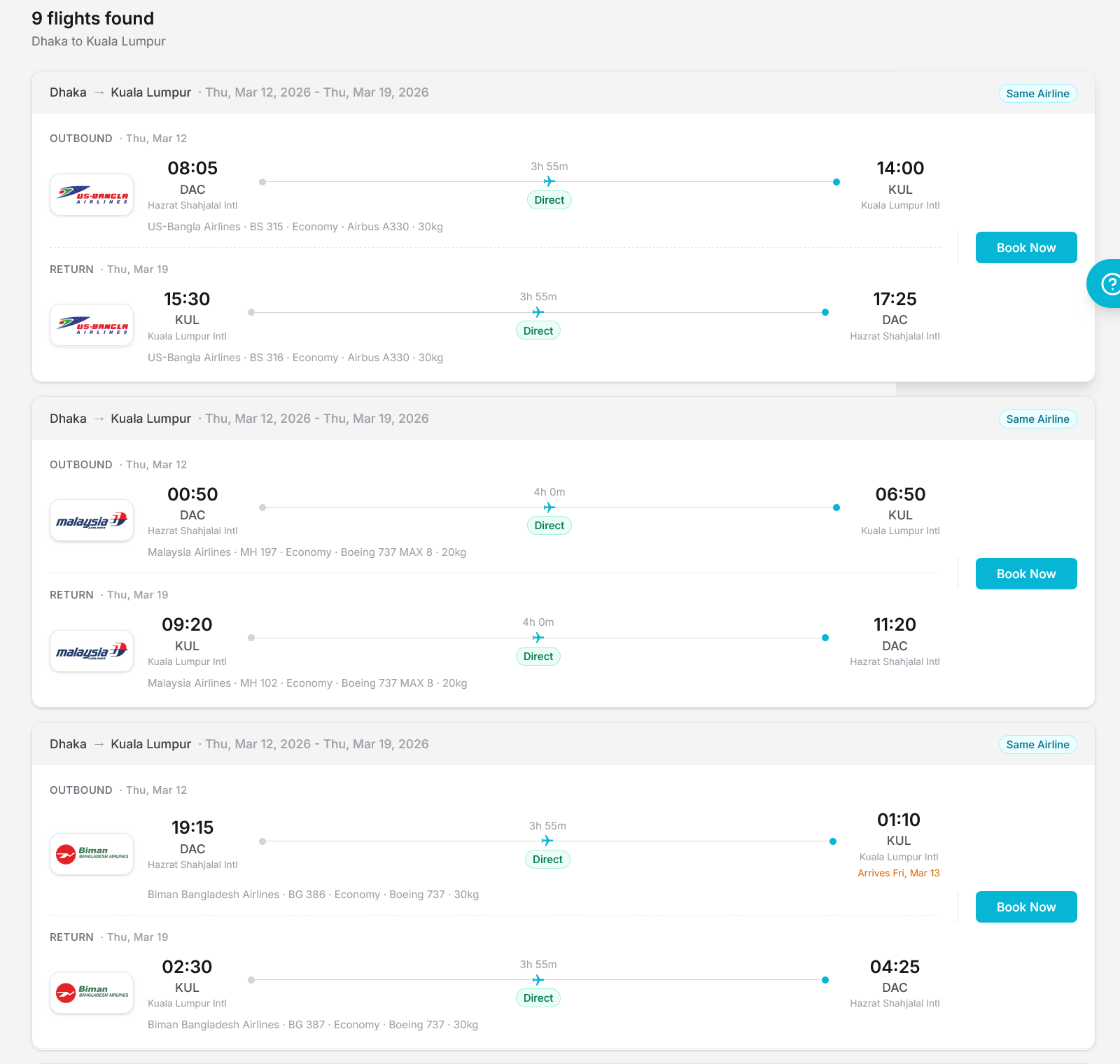
2 Select Your Flight

Browse available flights with real airline schedules, flight numbers, and timings. Choose one-way or round-trip options. Each result shows the airline, departure and arrival times, and fare breakdown.

Screenshot of flight search results page

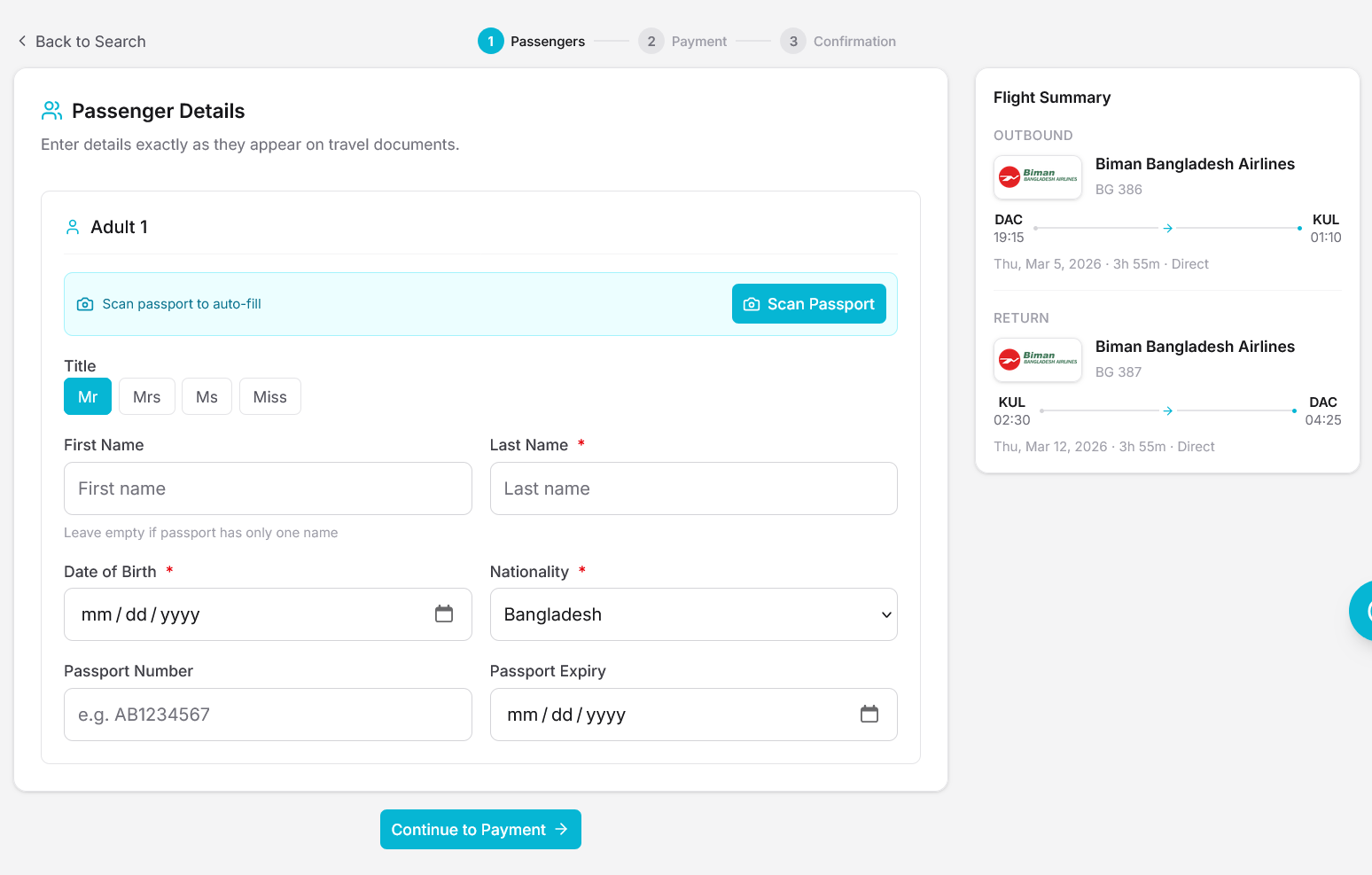
3 Enter Passenger Details

Fill in each passenger's full name, date of birth, nationality, and passport information — exactly as it appears on their travel document. You can also scan your passport for automatic data entry.

Screenshot of passenger details form with passport fields

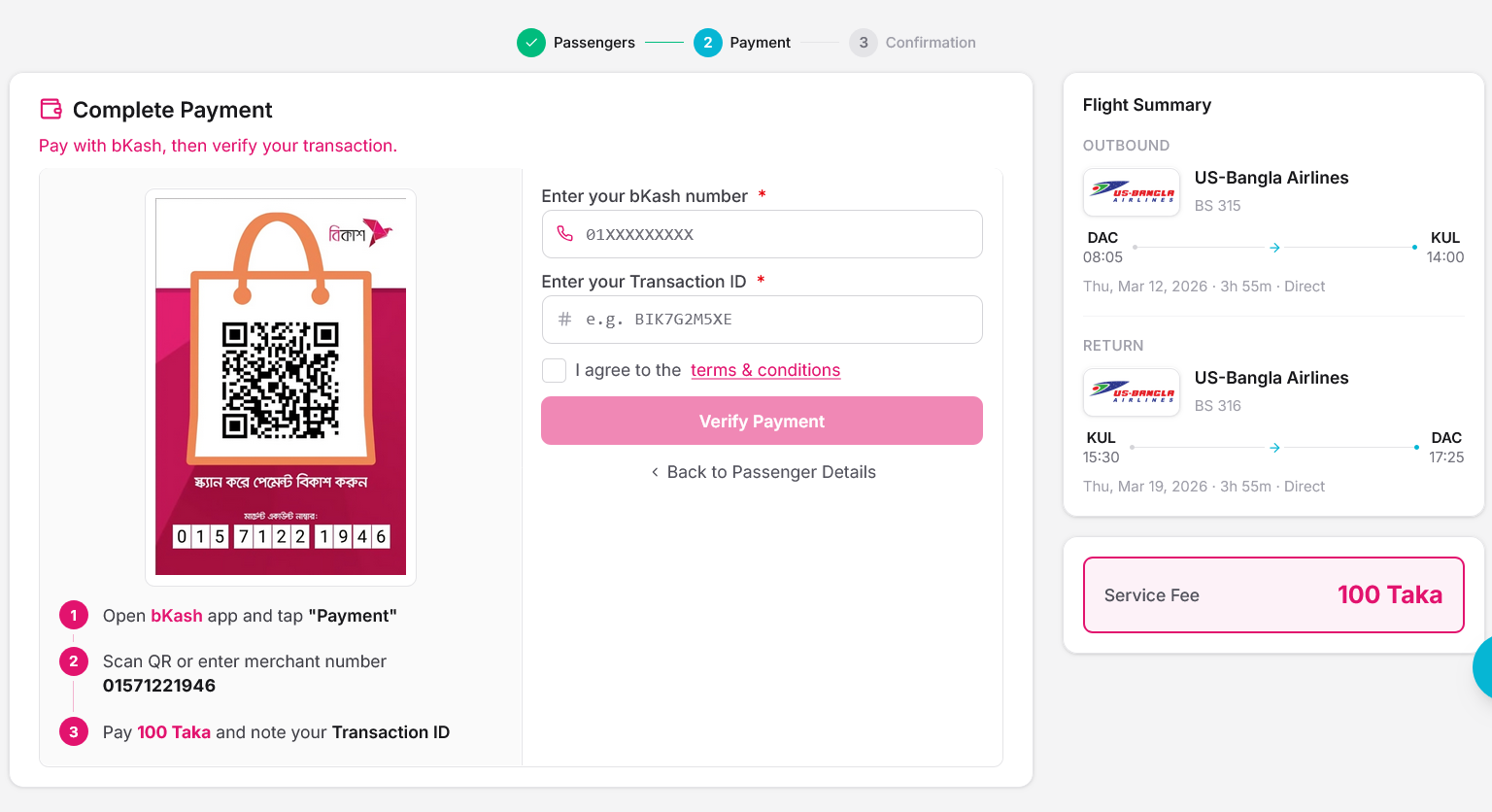
4 Pay via bKash

Send the payment to our bKash number as shown on screen. Then enter your bKash phone number and the transaction ID (TrxID) you received from bKash. Our system verifies your payment automatically.

Screenshot of bKash payment verification step

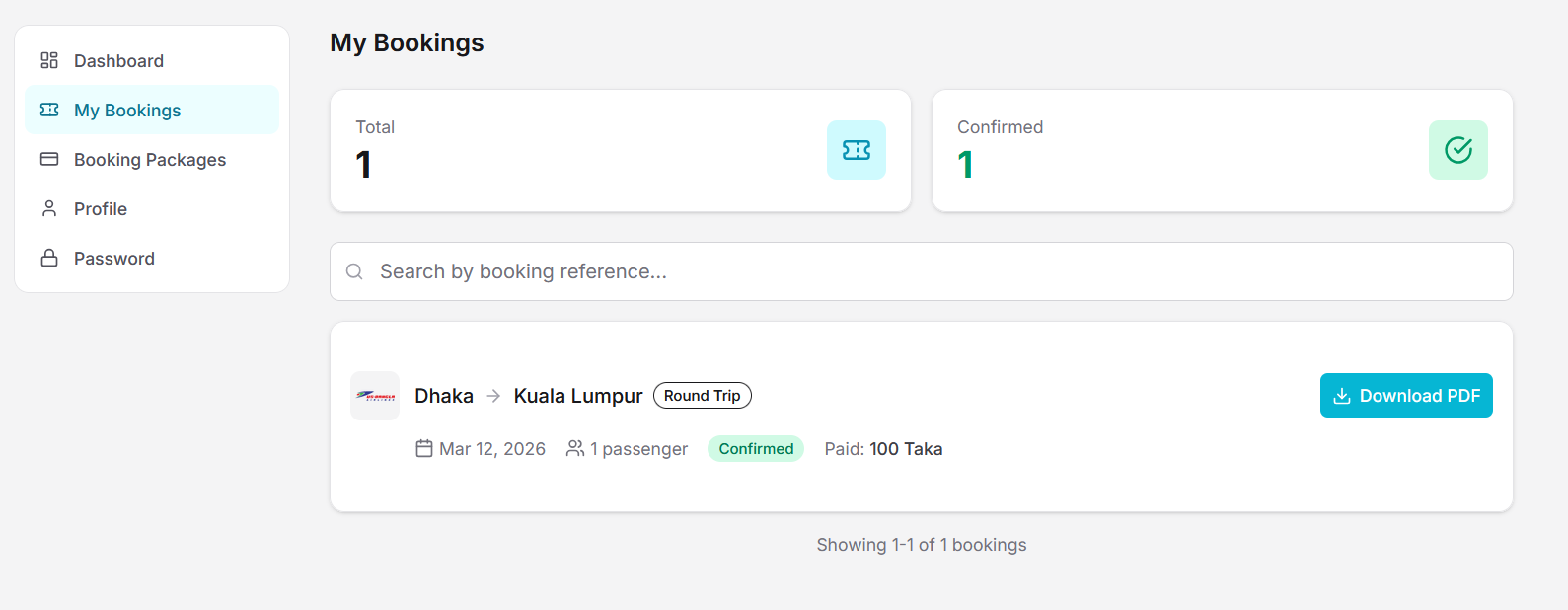
5 Download Your PDF

Once payment is verified, your embassy-ready flight itinerary PDF is generated instantly. Download it from your dashboard — it includes your booking reference number, flight details, and passenger information in a professional format.

Screenshot of booking confirmation with PDF download button